
Configuring Invite a Payer
Configure PayNearMe's Invite a Payer feature to let consumers request payment help from friends or family via email or SMS, with customizable security limits, messaging templates, and callout placement.
PayNearMe’s Invite a Payer feature gives consumers the ability to ask friends or family to help with a payment. When enabled, consumers can
- send payment invitations by email or SMS,
- provide guest payers with a secure link to pay without creating an account, and
- receive notifications about payment contributions
Configurable security limits, messaging, and where the experience appears help clients match brand and workflow needs while offering an additional path to payment success and a clearer self-service option for consumers who need a little help.
How it Works
Creating the Invitation
-
The consumer opens the Consumer Portal (or the Embedded Client) and sees a callout inviting them to request help. Clients can configure where this callout displays in the Consumer Portal.
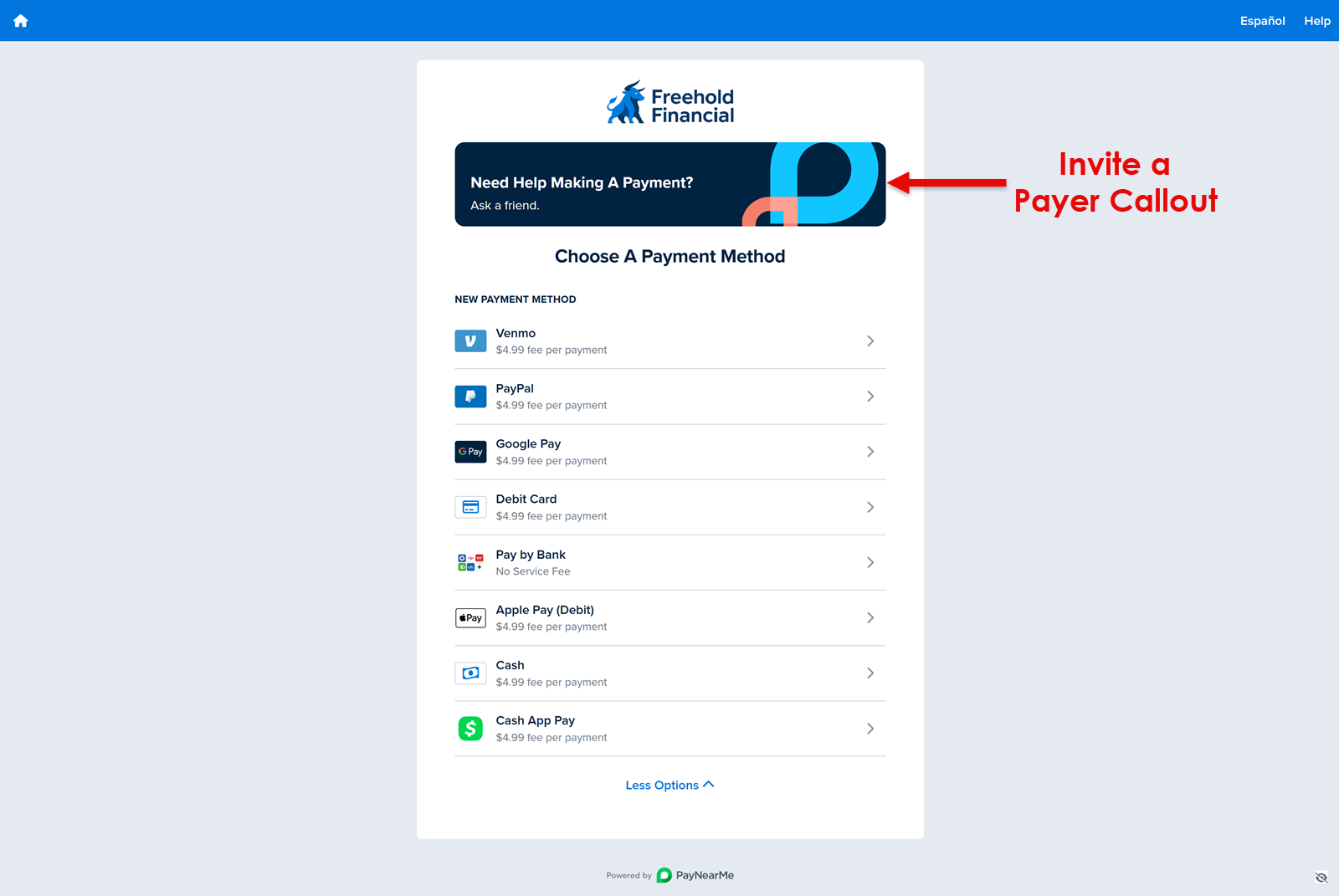
-
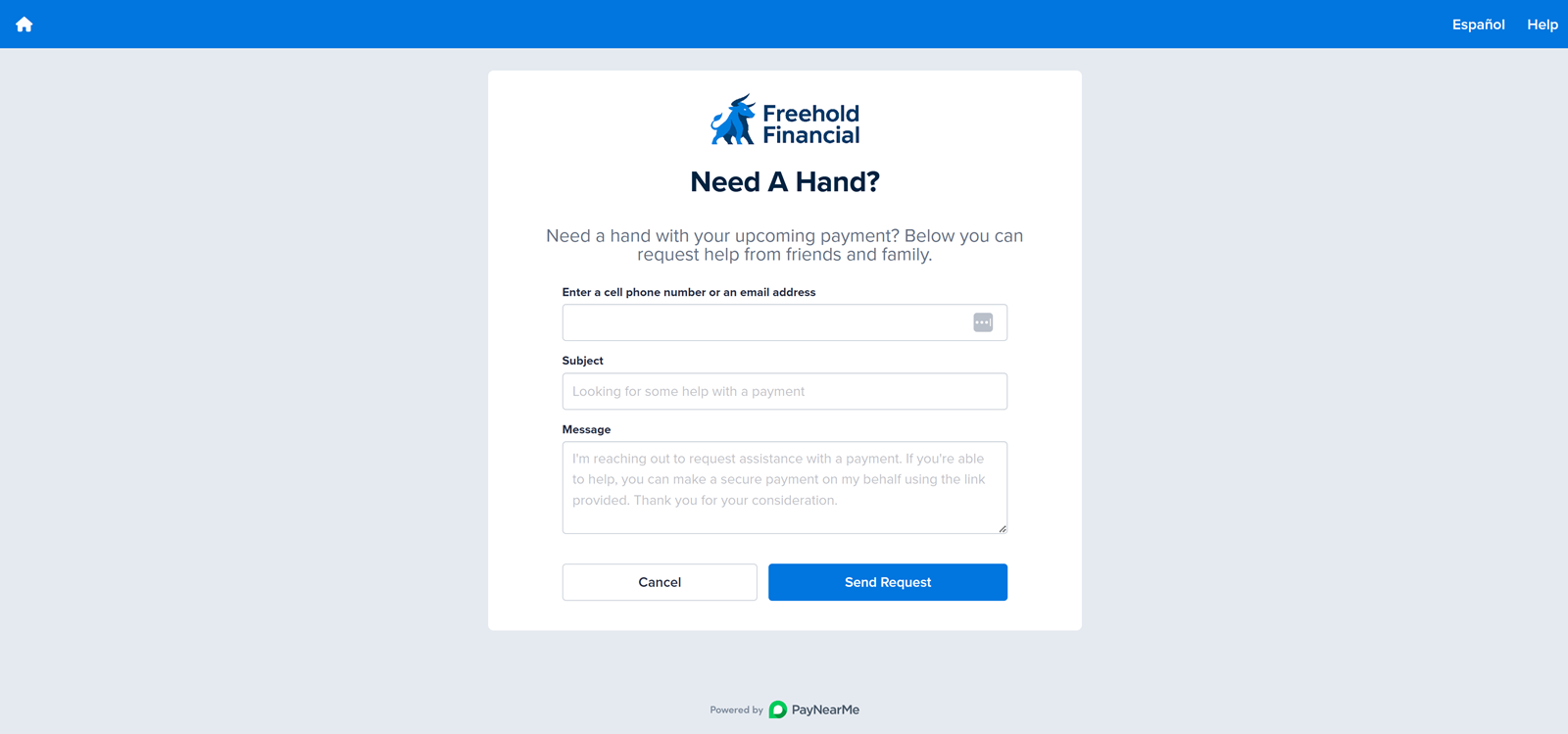
The consumer clicks the callout to send a request and completes the invitation form, which typically includes the following elements:
-
Contact: The email address or mobile number of the guest payer.
-
Subject: Customizable subject line that clients can prefill with default text.
-
Message: Message text that consumers can personalize for the guest payer. Clients can prefill this field with default text.
-
Amount Needed (optional): If provided, guest payers see the suggested amount in the text of the email or SMS message.
-
-
PayNearMe sends the invitations by email or SMS. Consumers receive a receipt each time a guest payment is submitted.
Guest payer
-
The guest payer receives an email or SMS with a unique payment link.
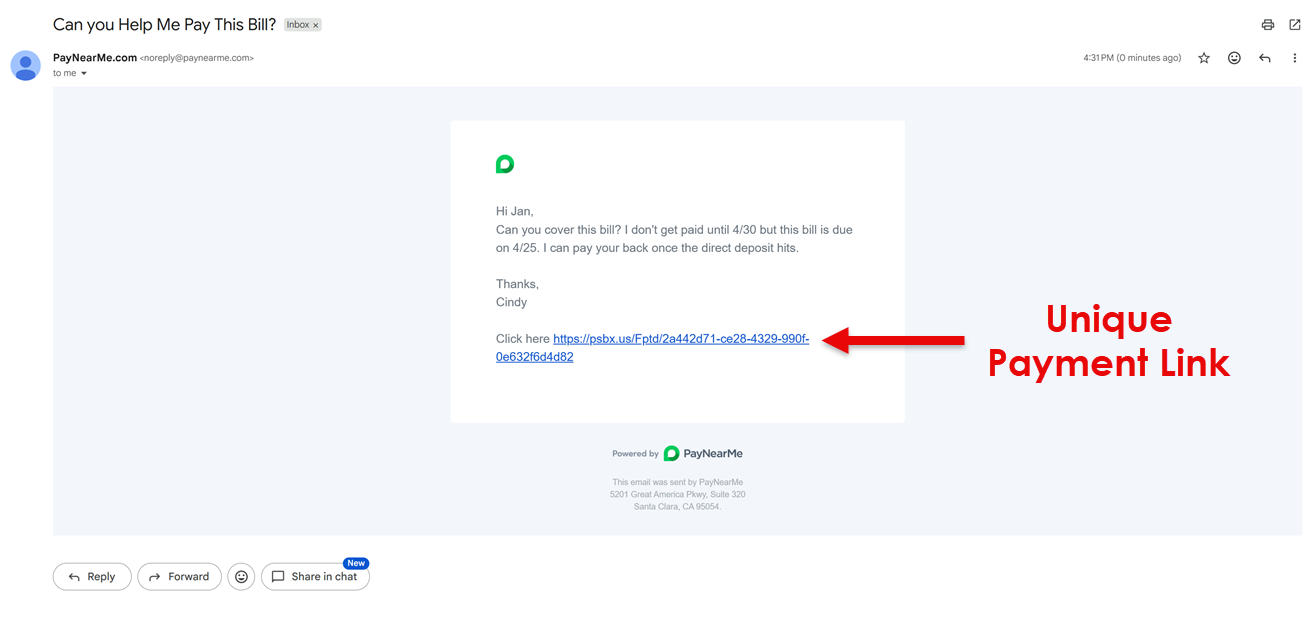
-
The link remains valid for a client-configured length of time (default is one day but can remain value for up to thirty days. See Configuration Options for more information). The same link can be clicked a configurable number of times (default is five times) if, for example, a guest payer revisits the page before paying.
-
After opening the link, the guest payer sees the the payment methods available for the client site.
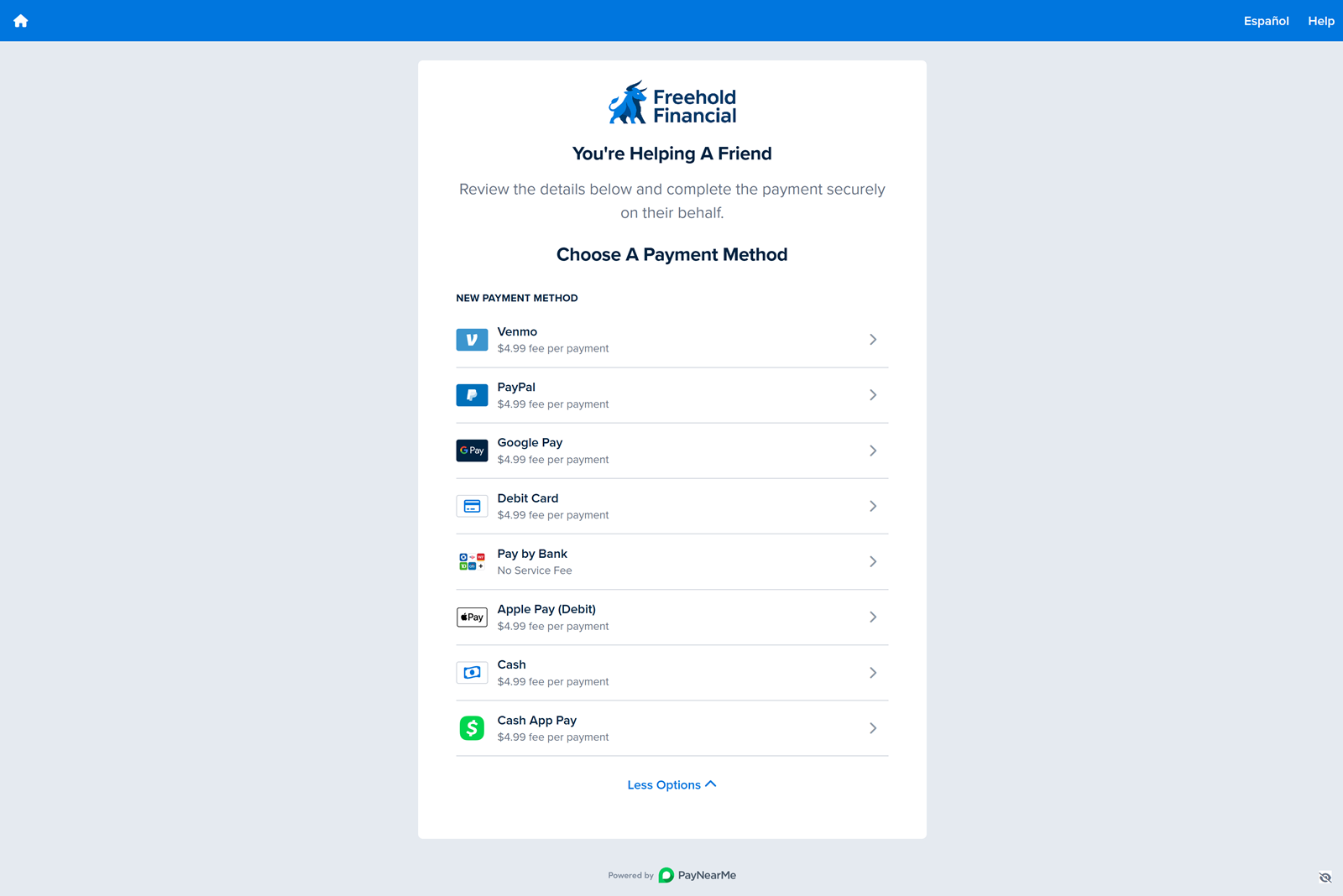
-
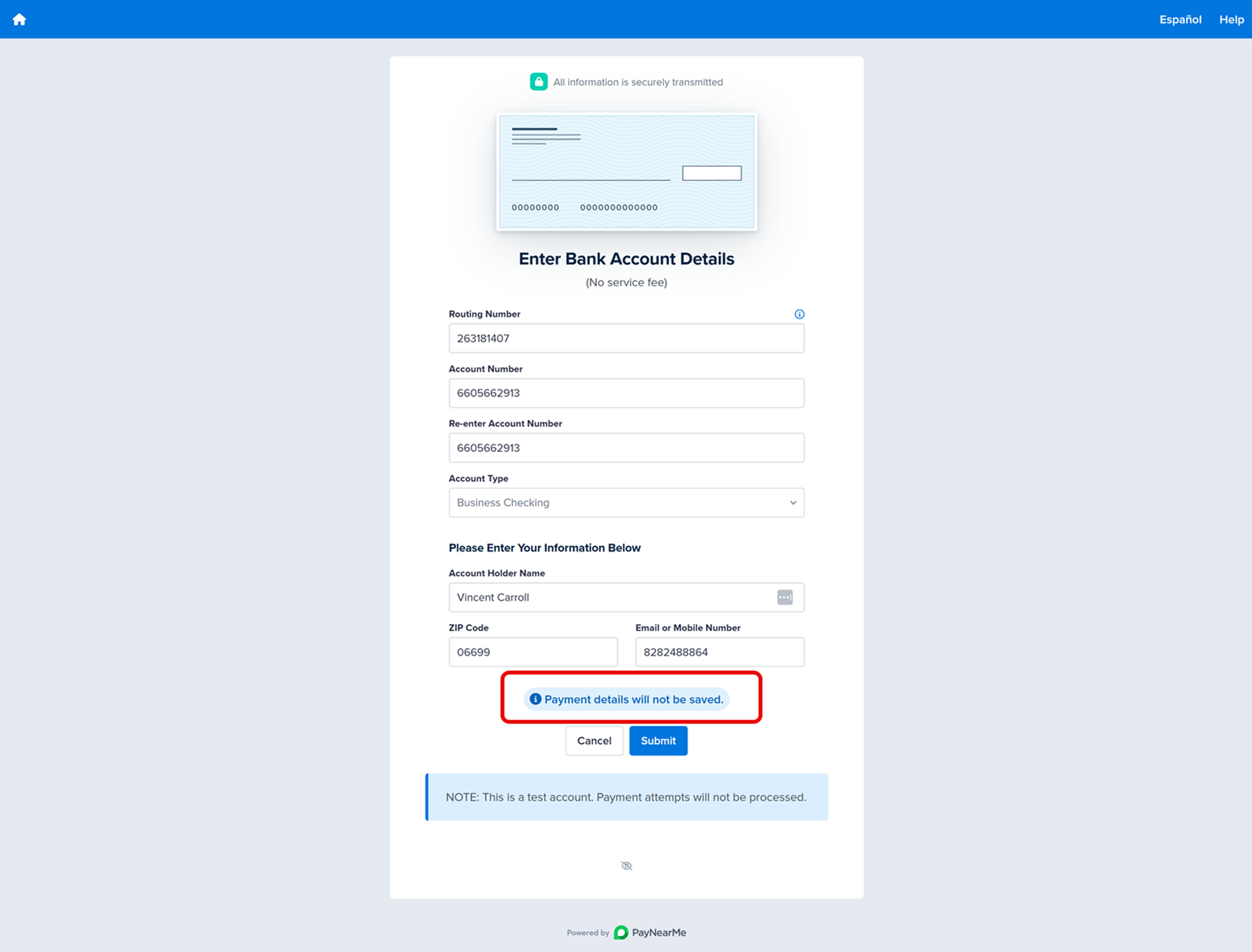
The guest payer creates a payment method that is NOT saved to the consumer's order. It is created only for this one-time payment.
-
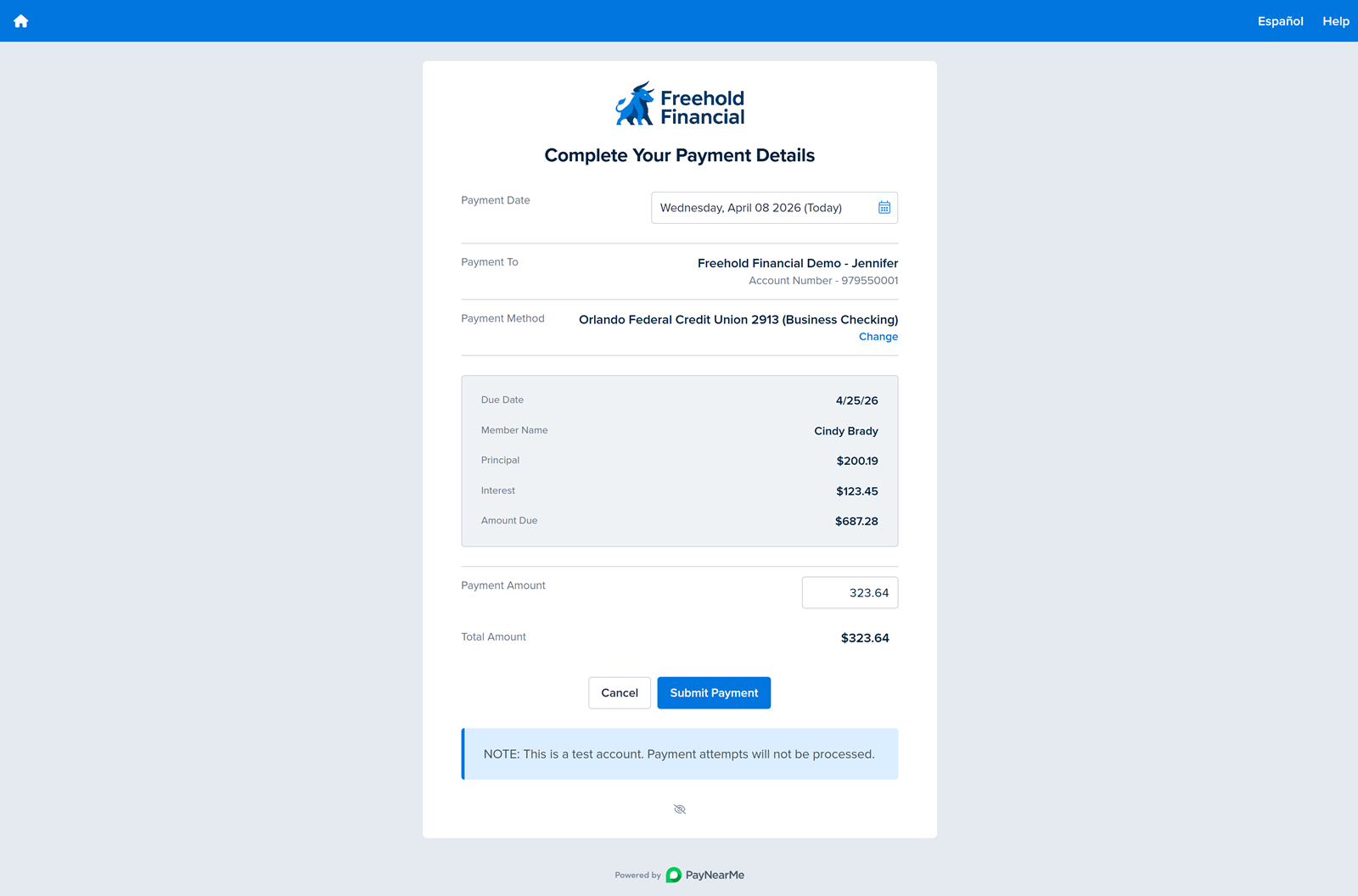
The guest payer completes the payment without creating a PayNearMe account.
-
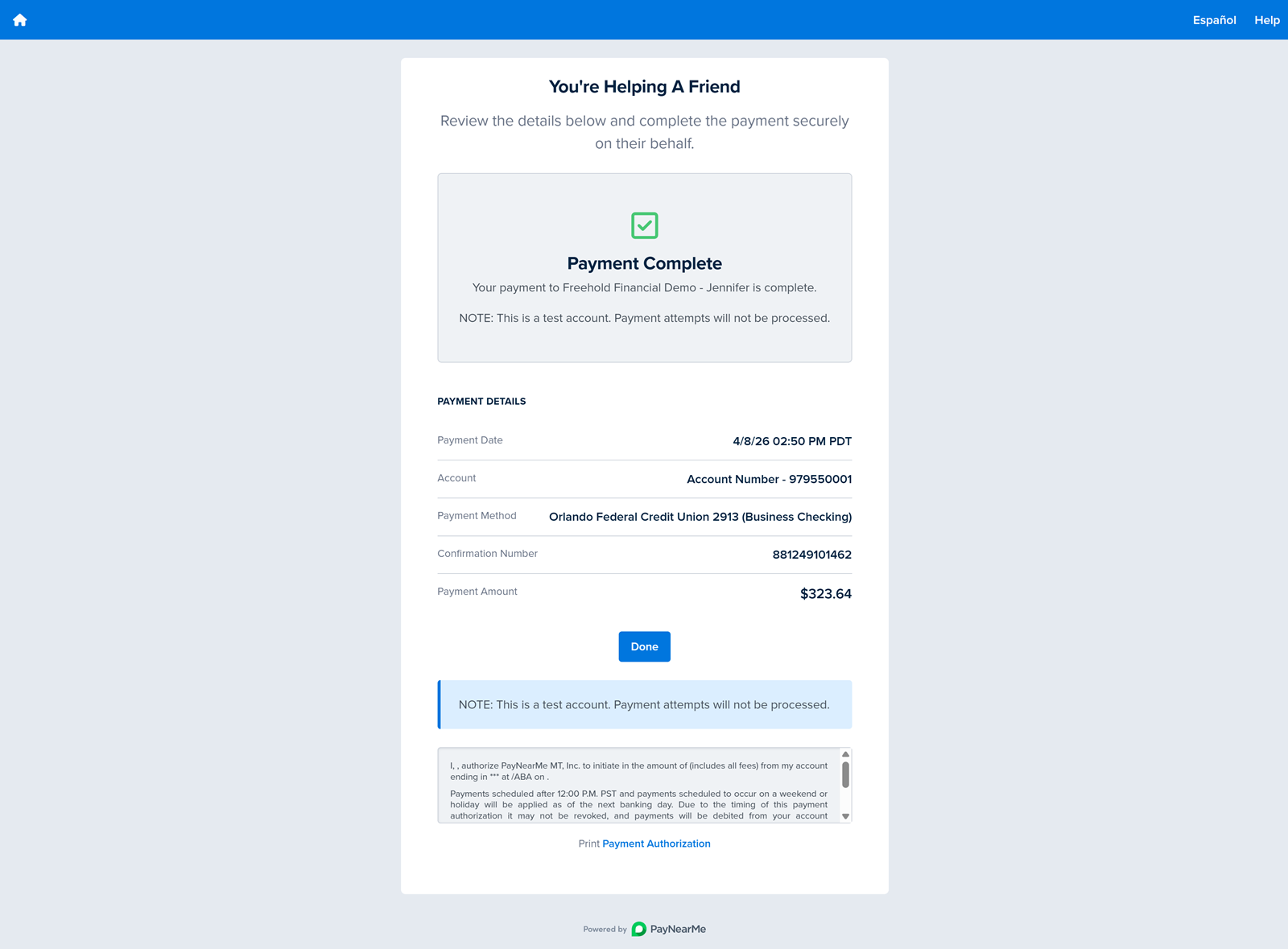
PayNearMe associates the payment with the original consumer’s order and sends receipts to both the guest payer and the consumer.
Invite a Payer is consumer-initiated (invitation and link). It is separate from Agent Guest Payment, where agents mark a payment as a guest payment in the Agent Interface without using the consumer invitation flow.
Client Requirements
- The feature must be enabled for your site by PayNearMe. Your PayNearMe Technical Account Manager or Implementation Team applies site-level settings using the configuration options described below.
- To reach guest payers by email and/or SMS, your configuration must be set up for consumer messaging in line with PayNearMe’s email and text messaging (including contact collection and any subscription or compliance requirements that apply to your use case).
- Guest payers use the same payment methods and rules configured for your site. Invite a Payer does not introduce a separate payment stack beyond your existing PayNearMe configuration.
Configuration Options
Your PayNearMe team maps the following options to your configuration. You do not need to perform internal configuration yourself to understand what can be tailored.
| Area | Configuration Options |
|---|---|
| Feature and Callout Visibility |
|
| Where the callout appears | Limit the callout to specific consumer experiences—such as the payment methods and payment details pages—or allow it across all supported pages? |
| Link validity | How long each invitation link remains active. Typical range is between 1 hour and 30 days with 1 day as the default. Your team sets the exact duration for your configuration. |
| Link usage limit | Maximum number of times an invitation link can be opened or used before it is no longer accepted—often in the range of 1 through 10 clicks, with 5 as the default. |
| Expired or exhausted links | The message guest payers see when a link has expired or has been used more than the allowed number of times. Wording is customizable. The guest payer may need a new invitation from the consumer. |
| Callout copy | Headline, supporting description, and button label for the callout (for example, text that launches the invitation form). English and Spanish are supported by default. |
| Invitation form labels and defaults | Labels for contacts, subject, message, and optional amount fields, plus a default subject line and message prefilled for the consumer. |
| Validation and success messages | Verbiage for consumer-facing errors (for example, missing contacts, invalid contact format, missing message, invalid amount) and the verbiage of the success message after invitations are sent (including an acknowledgment of who the request was sent to and where your template supports it). |
| Guest payer screen copy | Headline and instructions on the guest payer payment experience (for example, clarifying that they are paying on behalf of or for the consumer, per your preferred phrasing). |
| Invitation email and SMS | Templates for messages sent to guest payers are customizable. They typically support dynamic elements such as the inviter’s name, the personal message from the consumer, and the payment link. For general information on how PayNearMe handles email and SMS content and customization, see Standard Email and Text Messaging. |
Messaging
Invitation email and SMS content is defined per site configuration so it can follow your brand and legal requirements. Default or recommended wording is coordinated with your PayNearMe team. Template behavior aligns with the broader messaging capabilities described in Standard Email and Text Messaging.
Updated 26 days ago